Compass app - Accurate Compass
Battery Stats SaverMaps & Navigation
4.21.02K Reviews
- Version
- 3.1.3
- Installs
- 10.00M
- Age Rating
- Everyone
Screenshots
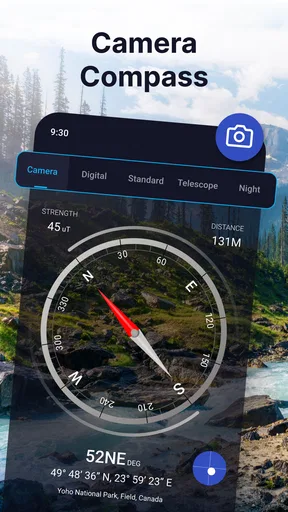
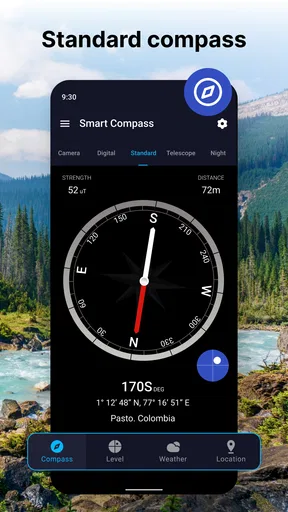
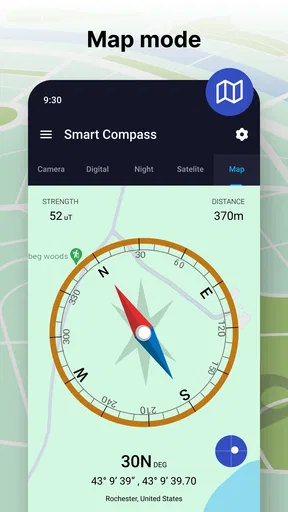
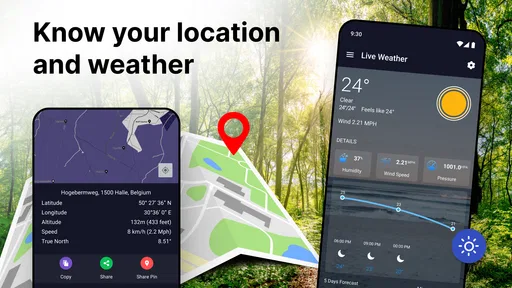
Our Review of Compass app - Accurate Compass
 Analysis by Appyee
I recently got my hands on the Accurate Compass app, and let me tell you, it was quite an adventure! Whether you're an outdoor enthusiast or just someone who gets lost in their own neighborhood, this app promises to keep you on the right track. So, let's dive into what makes this app tick and why it might just be the directional tool you never knew you needed.
Where a Pocket Compass Fits In
A compass is useful in a narrower, more practical way than a full navigation app. It can tell me which direction I’m facing, but it is not a substitute for a map that shows streets, trails, destinations, or a route home. That distinction matters: I’d use this as a quick orientation aid while walking, not as my only guide on an unfamiliar hike.
Picture stepping out of a station in a neighborhood you don’t know. A map app can show the route to your destination, while a compass can help you understand which way you’re facing before you choose a street. If I’m checking a paper map, the compass can also help align it with the landscape. For getting turn-by-turn directions, however, the map app is the better tool.
This app is most appealing if you want a simple directional reference without carrying a separate compass. It may suit casual walkers, travelers who already use maps, and people who want to learn basic orientation. If you need route planning, trail details, or navigation instructions, I’d choose a dedicated mapping app instead. A physical compass is also a stronger backup when your phone is unavailable or its battery is depleted.
First Impressions and Interface
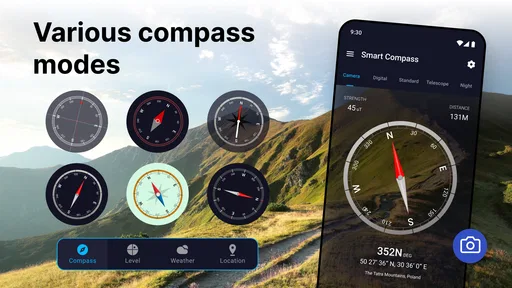
The first thing that struck me about the Accurate Compass app is its simplicity. Upon launching, you're greeted with a sleek, minimalist interface that’s refreshingly easy to navigate. The main screen is dominated by a classic compass face, complete with all the cardinal points you'd expect.
For those of us who aren't exactly tech-savvy, the app offers a straightforward experience. There’s no clutter, no unnecessary buttons—just a clean, functional compass. It's almost like holding an actual compass in your hand, only this one fits snugly in your pocket.
Features that Stand Out
Now, let’s talk about the features that make this app a standout. First and foremost, the accuracy of the compass is impressive. It uses your phone’s built-in sensors to deliver precise directions, which is essential when you're in the great outdoors or navigating an unfamiliar city.
Another cool feature is the ability to adjust for magnetic declination. For those who may not know, magnetic declination is the angle between magnetic north and true north. The app allows you to easily adjust this setting, ensuring that you're always headed in the right direction.
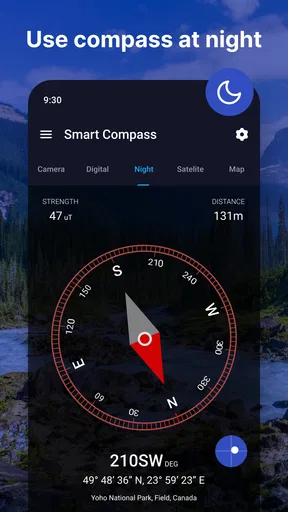
Additionally, the app offers a customizable display. You can toggle between different themes, making it easy to view in various lighting conditions. Whether you're under the bright sun or navigating at night, the display remains clear and legible.
Trust, Settings, and Everyday Checks
Because a compass relies on the phone’s sensors, I treat its reading as a useful indication rather than unquestionable proof of direction. Nearby metal objects, magnets, or electronics can affect a phone’s compass, so a sudden jump or an implausible heading is a reason to pause and check the surroundings. Moving away from the interference and holding the phone steadily can make the reading easier to interpret. I would not make a safety-critical decision from one glance at the screen.
The app’s visible choices are the ones described in its use: a compass display, a declination adjustment, and theme changes. I find those controls practical because they affect how I read the direction, rather than turning the app into a more complicated navigation system. Before relying on a changed declination setting, I’d check that I understand whether I want magnetic or true north for the map or task in front of me; otherwise, an adjustment can create confusion rather than improve orientation.
For privacy-conscious users, the sensible approach is to review the permissions shown by the phone when installing or using the app and decide whether they match the way you intend to use it. I can’t infer data practices or account controls from the compass interface itself, so I wouldn’t assume either that the app collects nothing or that it requires a particular account. If a permission request seems unrelated to a basic compass function, I’d stop and consider whether I’m comfortable proceeding.
User Experience and Performance
In terms of performance, the Accurate Compass app delivers without a hitch. I tested it in different environments—busy city streets, dense forests, and open fields—and it consistently provided reliable readings. The app was quick to respond, with no noticeable lag or delay.
One of the things I appreciate is the app’s low battery consumption. Even after using it for extended periods, it barely made a dent in my phone's battery life. This is a crucial factor, especially if you're on a long hike or trip and need your phone to last.
There is still a useful distinction between a compass reading and a verified position. A compass can indicate heading without telling me where I am, where a trail leads, or how far I am from a landmark. When orientation seems inconsistent, I’d compare the direction with a map or a recognizable feature instead of repeatedly turning in place and trusting each new reading. That habit is especially helpful in a wooded area, where the view may not offer an obvious reference.
If I’m heading out for a longer walk, I’d check the phone’s battery beforehand and keep a map or another way to navigate available. A compass app is light to carry, but it still depends on a working phone and its sensors. That trade-off is easy to accept for a short city walk; it matters much more when I’m far from familiar streets or need dependable backup.
Who is it For?
The app is perfect for anyone who needs a reliable compass on hand. Hikers, campers, and travelers will find it particularly useful. It's also great for those who enjoy geocaching or treasure hunting, providing accurate directions without the need for bulky equipment.
Even if you're just someone who enjoys a leisurely stroll, having a precise compass at your disposal is always a good idea. Plus, it adds a bit of adventure to your everyday walks!
The practical question is whether you want a heading or a complete plan. If you’re learning to orient a map, checking which way a street runs, or confirming your direction during a familiar walk, this app’s focused approach is a plus. If you expect it to find a destination, mark a route, or guide you through changing trail conditions, its simplicity becomes a limitation. I’d pair it with a map rather than ask it to do a map’s job.
Compass apps also differ from a traditional magnetic compass in an important way: they use a phone’s sensors, so their usefulness depends on the device being available and the reading being free from interference. A physical compass is simpler as a backup and doesn’t need a charged phone, while a map app is better for streets and routes. I see this app as the convenient middle option for quick orientation, not a replacement for either alternative.
A Cautious Verdict
All in all, the Accurate Compass app does exactly what it promises—it provides accurate and reliable directions in a user-friendly package. It's not trying to be anything more than a compass, and in a world of overly complicated apps, that’s a refreshing change.
The app is free to download and is rated for Everyone. It is developed by Battery Stats Saver, and its current version is 3.1.3; it requires Android 5.0 or later. Its average rating is 4.1 from around 60,000 ratings, with roughly 900 written reviews, and it has passed 10 million installs. Those figures suggest plenty of people have tried it, but I’d still judge it by whether a simple compass is what I need rather than treating popularity as proof that it will suit every situation. Optional in-app purchases range from $0.99 to $99.99 per item, so I’d check the purchase details shown in the app before choosing to buy anything.
If you're looking for a no-nonsense, straightforward compass app, this one is definitely worth a download. It's a handy tool that could make all the difference when you’re out exploring. And hey, who doesn't love the feeling of knowing exactly where they're going?
My recommendation is cautious rather than universal: keep it as a convenient orientation tool, learn how its declination setting relates to your map, and check a questionable reading against the real surroundings. For turn-by-turn travel, route decisions, or situations where a phone cannot be trusted as your only aid, use a proper map or a physical compass as well. That’s where this app makes the most sense to me: a straightforward helper for knowing your heading, with clear limits that are worth respecting.
Verdict
Strengths of Compass app - Accurate Compass
- User-friendly interface for easy navigation
- High accuracy with minimal calibration needed
- Supports both magnetic and true north
- Works offline without internet connection
- Lightweight app with minimal battery usage
Limitations of Compass app - Accurate Compass
- Ads can be intrusive at times
- Limited features compared to paid apps
- No customization options available
- Lacks integration with mapping apps
- Occasional glitches on older devices
Other Releases by Battery Stats Saver
View All
Photo Lock App - Hide Pictures
Personalization4.6

All Deleted Messages Recovery
Communication4.2

USB Screen Share - Phone to TV
Personalization3.8

Speak and Translate Languages
Communication4.7
Similar Picks in This Category
View All
Uber - Request a ride
Uber Technologies, Inc.4.7


inDrive. Rides with fair fares
® SUOL INNOVATIONS LTD4.8

Yandex Go: Taxi Food Delivery
Mikromobilnost LLC Belgrade4.8

Bolt: Request a Ride
Bolt Technology4.8

Rapido: Bike-Taxi, Auto & Cabs
Rapido Bike Taxi4.8
Frequently Asked Questions
How accurate is the Accurate Compass app?
The Accurate Compass app is designed to provide precise directional readings by leveraging your device’s built-in magnetic sensors. It’s crucial to ensure your phone is away from any metallic objects or magnetic fields to maintain its accuracy. Regularly calibrating your compass by moving your phone in a figure-eight motion can also improve precision.
Does the Accurate Compass app require an internet connection?
No, the Accurate Compass app functions offline as it relies on your device’s internal sensors rather than GPS or Internet data. This makes it particularly useful for outdoor adventures where internet connectivity might be unreliable or unavailable, ensuring you can always find your direction.
Can I use the Accurate Compass app indoors?
Yes, the Accurate Compass app can be used indoors; however, its accuracy may vary depending on the presence of magnetic interference from household electronics or building materials. For the best results, it’s recommended to use the app in an open space or outdoors.
What features does the Accurate Compass app offer?
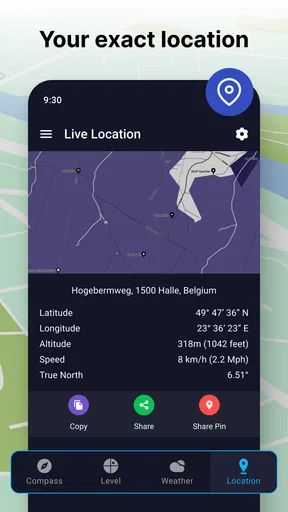
In addition to providing direction, the Accurate Compass app often includes features like declination correction, which adjusts for the difference between magnetic and true north. It may also offer a clean interface with easy-to-read dials and the ability to save and share your current location for future reference.
Is the Accurate Compass app user-friendly for beginners?
Yes, the Accurate Compass app is designed with simplicity in mind, featuring an intuitive interface that makes it easy for users of all levels to navigate. The app typically includes tutorials or help sections to guide new users through its functions, ensuring a smooth experience even for beginners.
